


You buy a nice vehicle, keep it clean, park carefully, and still come back to a fresh scrape with no note under the wiper. Or you get cut off on the 401 and spend the next ten minutes wishing somebody else had seen what just happened. That’s usually the moment people start looking into auto camera installation.
A good camera setup does more than record scenery. It gives you a clear record when something goes wrong, helps with parking, and takes some stress out of driving and owning a vehicle in Ontario. The tricky part isn’t deciding that cameras are useful. It’s choosing the right setup, installing it cleanly, and avoiding the failure points that turn a simple upgrade into interior damage, warning lights, or electrical problems.
Planning Your Camera Upgrade for Peace of Mind
The most common starting point is frustration.
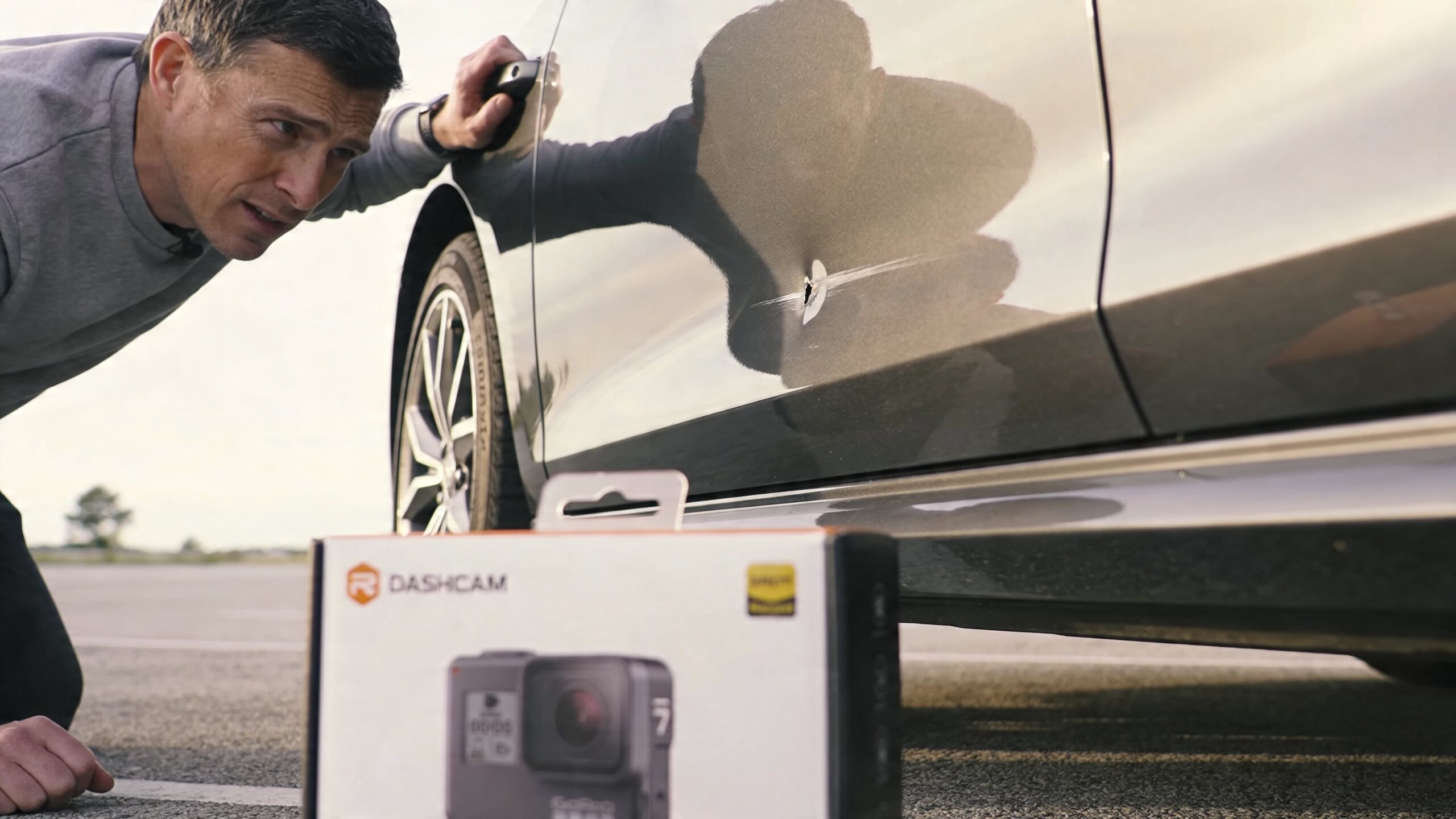
You notice a door ding in a plaza parking lot. Your rear bumper gets tapped while the SUV is parked. A driver drifts into your lane, then denies it. In each case, a camera changes the conversation because the vehicle can keep a record when memory and guesswork aren’t enough.
Pick the system that matches the problem
Not every driver needs the same hardware.
A front dash cam makes sense if your main concern is road incidents. A front and rear system is the better fit if you spend time on the highway or leave the vehicle parked in public lots. A surround-view or backup setup matters more if you drive a larger SUV, deal with tight suburban parking, or want help protecting wheels, bumpers, and lower body panels.
Ontario’s broader move toward camera-based driver assistance has changed what drivers expect from their vehicles. Ontario's road fatality rate dropped 12% from 2019-2023 following widespread ADAS camera installations, and MTO 2024 statistics credit rear and surround-view cameras for averting 18% of rear-end collisions province-wide. DMS is also in 52% of 2025 models, according to the cited market summary (Future Market Insights).
That lines up with what drivers see every day. Cameras aren’t niche anymore. They’re part of how modern vehicles protect people and reduce hassle.
What drivers usually want most
Customers often come in thinking they want “a dash cam.” After a short conversation, what they want is one of these:
- Proof after an incident: A front or dual-channel dash cam.
- Protection while parked: A hardwired unit with parking mode.
- Better reversing and parking: A backup camera or surround-view setup.
- More awareness in a newer SUV: A system that works cleanly with existing driver-assistance features.
If you're still weighing the everyday value, this breakdown of the benefits of a dash cam in your car is useful because it frames the camera as both a safety tool and an evidence tool.
A camera won’t stop every bad driver. It will stop a lot of arguments.
Think of cameras as part of the protection package
A lot of owners focus on theft prevention, collision protection, and cosmetic protection separately, but they overlap. A camera records. An alarm or immobiliser deters. Surface protection saves paint and trim. If you’re already thinking about vehicle security, this guide to an https://carmedicsautowerks.com/anti-theft-device-for-car/ fits naturally into the same decision.
The right first step is simple. Be honest about what keeps bothering you right now. Parking lot damage, road incidents, trailer visibility, teen drivers, fleet use, or daily commuting all point to different camera choices.
Choosing Your System and Assembling Your Toolkit
Bad installs usually start before the first panel comes off. The wrong camera gets bought, the wrong hardwire kit shows up, and halfway through the job the installer realises the vehicle needs more planning than expected.
Choose the system before you choose the tools
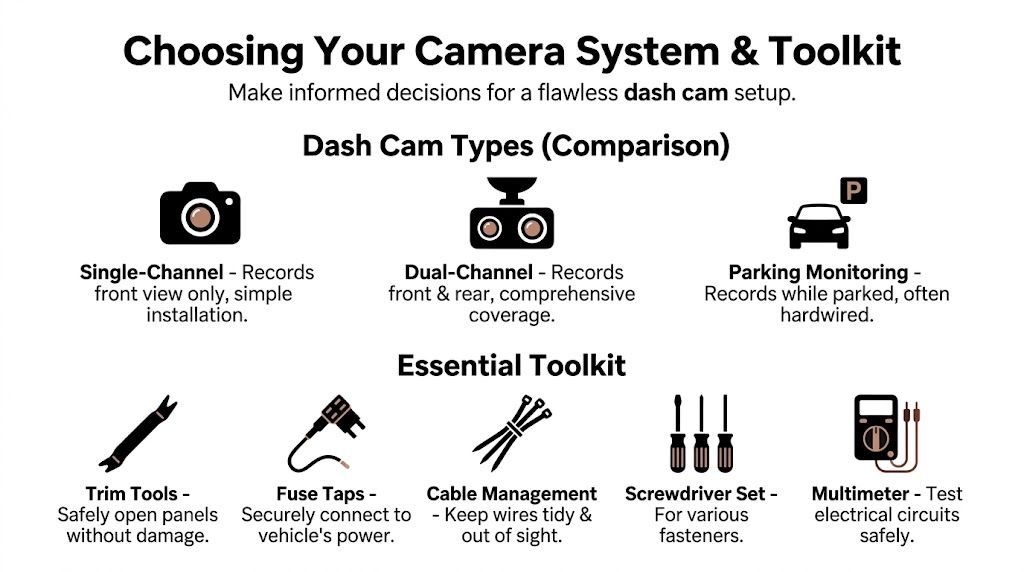
Start with how the vehicle is used.
| System | Best for | Trade-off |
|---|---|---|
| Single-channel dash cam | Daily commuting, simple evidence recording | Doesn’t cover rear impacts or rear traffic |
| Dual-channel dash cam | Highway use, parking lots, rear-end documentation | More wiring, more trim removal |
| Parking mode setup | Vehicles left outside or in public lots | Needs proper power planning |
| Backup camera | SUVs, trucks, tight parking | Exterior mounting and weatherproof routing matter |
| 360-degree system | Larger vehicles, careful owners, factory-style convenience | Complex calibration and integration |
Ontario’s rearview camera rules changed expectations across the market. The mandate for rearview cameras on new vehicles in Ontario since 2018 has driven aftermarket demand, and 360-degree surround-view systems are projected to be standard in 65% of new Canadian SUVs in 2025 according to the cited market summary (MarketsandMarkets).
That matters because a lot of owners with pre-mandate vehicles now want the convenience they’ve used in newer models.
What belongs in your toolkit
There are tools you can improvise on, and there are tools you shouldn’t.
Use this as the minimum kit:
- Plastic trim tools: Metal screwdrivers chew up soft trim, mark pillar covers, and crack clips.
- Digital multimeter: You need to verify switched power, constant power, and ground. Guessing with a test light on a newer vehicle isn’t my favourite approach.
- Add-A-Fuse taps: Match the right style to the vehicle’s fuse type. Don’t force a loose fit.
- Socket set and screwdriver set: Battery terminals, ground points, cargo trim, and sill plates all vary.
- Fabric tape and zip ties: Fabric tape prevents rattles. Cheap tape dries out and lets wiring move.
- Panel clip pliers: Helpful when sill trim uses stubborn retainers.
- Fish tape or pull wire: Very handy for liftgates, hatch boots, and long rear cable runs.
- Rubber grommets: Important when routing through metal.
- Isopropyl alcohol and clean microfibre: Adhesive mounts fail early if the glass isn’t properly cleaned.
What works and what wastes time
A few buying decisions save a lot of grief.
Buy a hardwire kit made for the camera. Generic kits can work, but mismatched voltage cut-off behaviour causes endless parking-mode complaints.
Use quality memory cards. Many “camera problems” are card problems.
Match the camera to the vehicle. A compact front unit hides well behind a mirror in a sedan. A tall windshield SUV may need different mounting strategy and cable length.
Workshop habit: Lay everything out on a bench first. Camera, rear camera, cable lengths, fuse taps, trim tools, multimeter, spare fuses, and cleaning supplies. If anything feels improvised at that point, it’ll feel worse inside the vehicle.
If you're comparing products and local install options, a search for https://carmedicsautowerks.com/dash-cam-near-me/ can help narrow down what style of setup suits your vehicle best.
Mounting Cameras and Routing Wires Like a Pro
Park a car outside through a Southern Ontario winter, then add summer heat, slamming doors, and a hatch that opens ten times a day. That is the true test of an auto camera install. The mount and wire path have to survive all of it without rattles, sagging trim, or creating a safety problem.
The camera is the visible part. Wire routing is what decides whether the job still looks good six months later.
Front camera placement
For a front dash cam, the cleanest spot is usually behind the rearview mirror on the passenger side of the mirror stem or tight to the frit band, depending on the vehicle. That keeps the unit out of the driver’s sightline and usually gives the lens a clear view through the swept area of the windshield.
Vantrue’s installation guide shows the same basic approach installers use every day. Mount high, keep the horizon level, and aim for a view that captures the road instead of wasting too much frame on sky (Vantrue installation guide). Before the adhesive backing comes off, sit in the driver’s seat and check it from a normal driving position, not while leaning over from the passenger side. People get this wrong all the time.
A few checks prevent redo work:
- Confirm the camera sits inside the wiper sweep. A good camera angle is useless if salt spray coats the glass in February.
- Test mirror adjustment and sun visor clearance. Some housings look fine until the visor swings down.
- Clean the glass properly. Old film glue, silicone dressing, and smoker haze all weaken adhesive pads. If the windshield has residue or old tint film, this guide on removing auto window film cleanly helps avoid mount failures later.
Rear camera and backup camera placement
Rear glass cameras are usually straightforward. Exterior backup cameras are less forgiving because water, road salt, and spray get involved fast.
The two common mounting choices are still the right ones:
- Licence plate area: Easier to access, easier to service later, and usually the best choice for aftermarket kits.
- Flush bumper mount: Cleaner finished look, but it requires accurate drilling, deburring, rust protection, and a proper grommet.
On newer vehicles, the smarter move is often to pause before drilling anything. Painted bumpers, hidden harnesses, parking sensors, and OEM camera locations can turn a simple-looking install into an expensive mistake.
The A-pillar is where DIY installs fail
This area causes more trouble than almost any other part of the job.
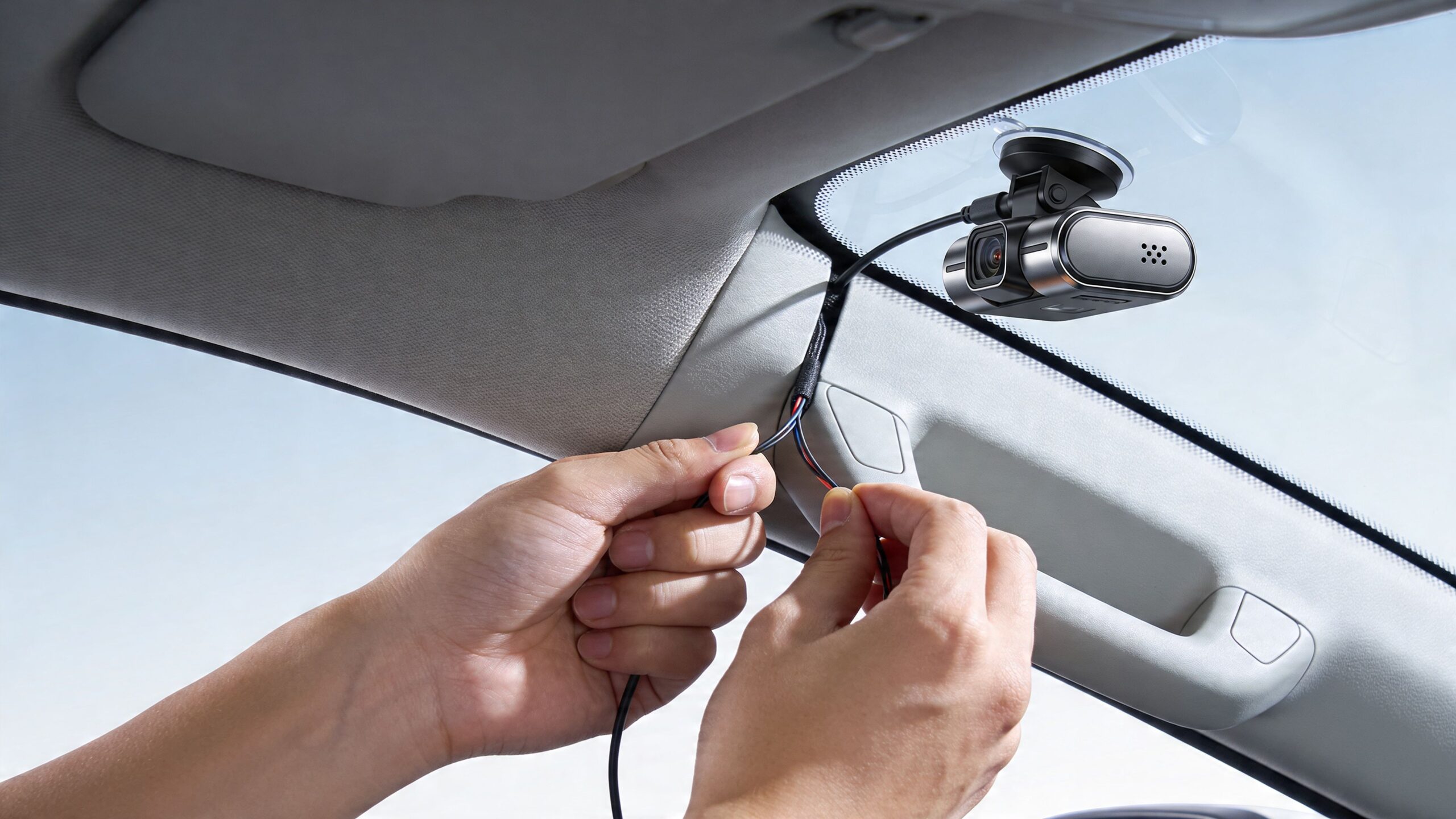
A lot of DIY installers tuck the cable down the nearest pillar and call it done. On many cars, that pillar also contains a side curtain airbag, a retention strap, or trim clips designed to break in a controlled way. If the wire is routed across the deployment path or tied to the wrong point, the airbag may not deploy as intended.
Use a safer method:
- Remove the trim carefully. Some A-pillar clips are one-time-use parts.
- Find the airbag before routing anything. If you cannot identify it clearly, stop.
- Keep the wire outside the deployment path. Follow the factory loom route only if it stays clear of the airbag.
- Use fabric tape where needed. It controls rattles better than cheap vinyl tape and does not turn gummy in summer.
- Do not cinch zip ties around airbag components or tethers. Secure the wire to stable trim or loom points only.
I tell people this plainly. If you are guessing in the A-pillar, you are past the safe DIY point.
Running rear cables in SUVs and trucks
Rear cable routing gets awkward quickly. Hatch boots, hinge movement, cargo trim, weather seals, and long body runs all create failure points.
The usual path is along the headliner, down or across the side trim, through the rear body section, then into the hatch or liftgate glass area. What matters is not just hiding the cable. It has to move where the vehicle moves and stay protected where the body flexes.
Watch these spots closely:
- Hatch hinges and rubber boots: Leave enough slack for full movement, but not so much that the wire folds sharply or gets pinched.
- Sharp sheet metal edges: Use factory pass-throughs or add a grommet.
- Seat belt anchor areas and moving trim panels: Wires can get crushed during reassembly.
- Areas near moisture entry points: Poorly sealed passes lead to corrosion and water complaints.
- Low routing near hot components: Heat hardens cable jackets over time.
A rear wire should never be stretched tight. It also should not be stuffed loose into a cavity where it can slap metal every time the hatch closes. There is a middle ground, and that is what a durable install looks like.
Keep the install looking factory
A good install disappears into the car. No hanging loops by the mirror. No bulged headliner. No trim panel that no longer sits flush because a connector is trapped behind it.
Take the extra few minutes to reseat every clip, check every weatherstrip, and press along each trim section after the wire is tucked. Then open every door, cycle the hatch, and listen on a short road test. If a cable can move, you will hear it on rough pavement.
That final inspection matters more on newer vehicles with tighter trim tolerances and more electronics packed behind panels. If the route forces you near airbags, advanced driver-assistance hardware, factory camera systems, or a liftgate harness that is already crowded, calling Carmedics Autowerks is usually the better decision. That is especially true on late-model vehicles where one bad trim pull or one misplaced wire can create a much bigger repair than the camera install itself.
Connecting Power for Flawless Operation
A lot of DIY installs go sideways here.
Mounting the camera is straightforward. Powering it properly is the part that causes the comeback. If the camera reboots, drains the battery, refuses to enter parking mode, or throws odd electrical complaints, the fault is usually in the hardwire work and not the camera itself.
Know the three power choices
Most camera systems come down to three practical options.
| Method | Good at | Weakness |
|---|---|---|
| 12V socket plug-in | Fast install, very little disassembly | Visible cable, limited parking mode support on many vehicles |
| OBD-II adapter | Quick and tidy for some applications | Occupies the diagnostic port area, not ideal on every vehicle |
| Fuse box hardwire | Clean finish, proper support for parking mode | Requires testing, correct fuse selection, and a solid ground |
For a basic daily driver where the owner just wants recording while driving, a plug-in setup can be enough. For a cleaner install with dependable parking mode, fuse-box hardwiring is usually the better route.
Constant power and switched power
This part has to be right.
Constant power stays live with the vehicle off. That is what parking mode uses.
Switched accessory power turns on with ignition or accessory state. That handles normal driving operation.
Many hardwire kits use both inputs. If you pick the wrong circuits, the camera may stay awake too long, shut off early, or act differently every time the vehicle sits overnight.
A hardwire workflow that avoids the common mistakes
A careful process matters more than speed.
Disconnect the battery if the vehicle allows it
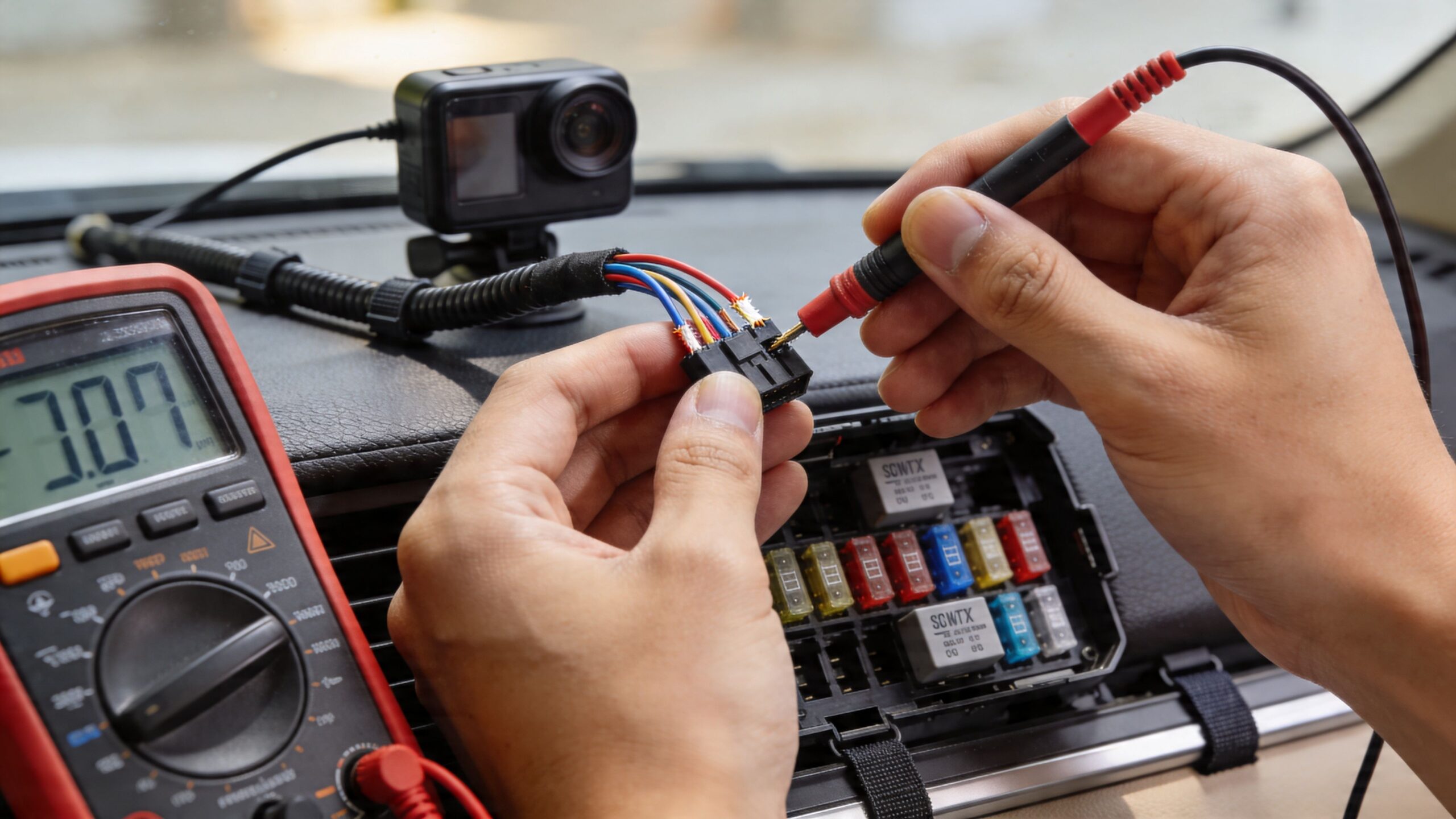
Check radio codes, memory settings, and vehicle-specific procedures first. On some newer cars, battery disconnect is not a casual step.Test circuits with a multimeter
Do not rely on a fuse chart alone. Confirm one circuit has true constant power and one behaves like accessory power in the actual key or push-button states the vehicle uses.Use the correct fuse tap style and orientation
Low-profile mini, mini, micro2, and standard blade taps are not interchangeable. A fuse tap that fits loosely can create intermittent power loss or heat at the panel. Orientation matters too, because the load side needs to be protected correctly.Choose the camera fuse rating that matches the kit
Follow the hardwire kit instructions for the accessory fuse size. Do not oversize it to “be safe.” That works against the protection you are trying to add.Ground to clean, bare metal
This is one of the biggest DIY failure points. Use a known chassis ground or a solid metal bolt point with clean contact. Painted brackets, trim screws, and anything that feels convenient are usually where flickering and random shutdowns begin.Test the system before full reassembly
Turn ignition on and off several times. Let the vehicle go to sleep. Confirm the camera changes modes the way it should before every panel is clipped back in place.
What usually fails
The repeat problems are predictable.
- Bad ground point: The camera flickers, reboots, or drops out in parking mode.
- Wrong fuse choice: The camera stays on when it should sleep, or never gets the constant feed it needs.
- Poor fuse tap fit: Power cuts in and out over bumps or during cold starts.
- Tapped safety-related or sensitive circuits: Newer vehicles may log faults or behave unpredictably.
- No respect for battery management systems: Late-model vehicles often monitor current draw closely, especially with start-stop and smart charging systems.
Ontario weather exposes weak work fast. Cold temperatures increase resistance at marginal connections, and a connection that seemed fine in the garage can start acting up on a January morning. I see that a lot with cheap fuse taps and grounds that were attached over paint.
One more point that gets missed. Power routing near the A-pillar has to respect the side curtain airbag path. If the wire was already routed carelessly in that area, stop and fix that before chasing electrical symptoms. A camera that works is not a good install if the airbag deployment path is compromised.
Bench test rule: Before you put every trim panel back, cycle the ignition several times and watch the camera behavior. Inconsistent power transitions at this stage usually mean a circuit choice, ground, or fuse tap problem.
If the vehicle has a crowded fuse box, advanced driver-assistance systems, battery monitoring, or any uncertainty around safe circuit selection, a shop that handles automotive electrical repair is the smarter call. That is usually the cutoff point where DIY stops saving time and starts creating expensive guesses.
Testing, Troubleshooting, and Maintaining Your System
The install isn’t finished when the camera turns on. It’s finished when the camera powers up reliably, records properly, and keeps doing that through Ontario weather.
Start with a simple checklist after reassembly.
First power-up checks
Run through these in order:
- Reconnect the battery and start the vehicle: Confirm the camera boots normally.
- Format the memory card in the camera: Don’t assume a new card is ready as shipped.
- Review live view: Make sure the horizon is level and the lens sees what you need.
- Test rear image and reverse trigger if equipped: Don’t wait until the next morning to discover the rear feed isn’t working.
- Check parking mode behaviour: Turn the vehicle off and confirm the system changes state properly, if your setup supports it.
If something isn’t right
Most post-install issues come down to four areas.
| Problem | Likely cause | First check |
|---|---|---|
| Camera reboots or flickers | Poor ground or unstable power | Recheck ground and fuse tap seating |
| Parking mode doesn’t engage | No true constant feed or wrong settings | Verify constant power circuit |
| No rear image | Loose rear connector or pinched cable | Inspect hatch and trim transition points |
| Poor image quality | Dirty lens or bad angle | Clean lens and reset alignment |
Winter grime builds up faster than most owners expect. If the lens looks clean at a glance, wipe it anyway.
Maintenance matters more in Ontario
This part gets ignored.
Vehicle cameras exposed to freeze-thaw cycles, road salt, and moisture face accelerated degradation, and regular cleaning and inspection are critical to prevent failure and maintain performance over the vehicle’s life (RecodaDVR troubleshooting notes).
That means you should:
- Clean exterior camera lenses regularly: Salt film and slush mist ruin image quality.
- Inspect adhesive mounts after deep cold snaps: Glass and plastic expand and contract differently.
- Check cable points near the hatch and hinges: That’s where motion fatigue shows up first.
- Look for corrosion on drilled mounts or exposed fasteners: Ontario roads are hard on hardware.
- Review footage occasionally: A camera can be powered on and still recording poorly.
If you end up replacing brackets, clips, trim pieces, or camera hardware after a failed install, the parts choice matters. This comparison on https://carmedicsautowerks.com/oem-vs-aftermarket-parts/ is worth a look because some aftermarket pieces fit perfectly, and some create new rattles or alignment issues.
Know When to Call a Pro at Carmedics Autowerks
DIY makes sense when the job is straightforward, the vehicle is simple, and you’re comfortable reading trim, wiring, and power behaviour correctly.
It stops making sense when the margin for error gets small.
Call a professional if any of these apply:
- You’re working on a brand-new vehicle: Warranty risk and delicate trim raise the stakes.
- The A-pillar airbag path isn’t obvious: Don’t guess around a safety system.
- You want parking mode but aren’t confident with fuse testing: Wrong power selection causes endless headaches.
- The vehicle has advanced driver-assistance features already: Newer systems often leave less room for sloppy wiring or casual power taps.
- You’re installing a 360-degree or integrated backup setup: Calibration, routing, and smooth operation matter more than the hardware itself.
- You want a factory-grade finish: Hidden wiring and proper trim reassembly take practice.
A professional install isn’t about making the job mysterious. It’s about reducing risk.
The expensive part of a bad DIY camera install usually isn’t the camera. It’s the broken trim clip that turns into a rattle hunt, the pillar issue that affects an airbag path, the weak ground that drains time, or the electrical mistake that creates a warranty argument. If the vehicle is valuable to you, there’s no shame in deciding the smarter move is handing it over.
If you want a clean, reliable camera setup without the trial-and-error, Carmedics Autowerks Inc in Whitby can help with professional installation, electrical work, and vehicle protection services that keep your car or SUV looking sharp and working properly in Ontario conditions.