


I've seen it a hundred times: a weekend project to install a remote starter turns into a month-long headache. The biggest mistake people make isn't with the wiring—it's skipping the prep work. Before you even think about stripping a wire, you need to have a solid game plan. Getting this part right means the difference between a smooth, satisfying install and a costly, frustrating mess.
Your Essential Pre-Installation Checklist
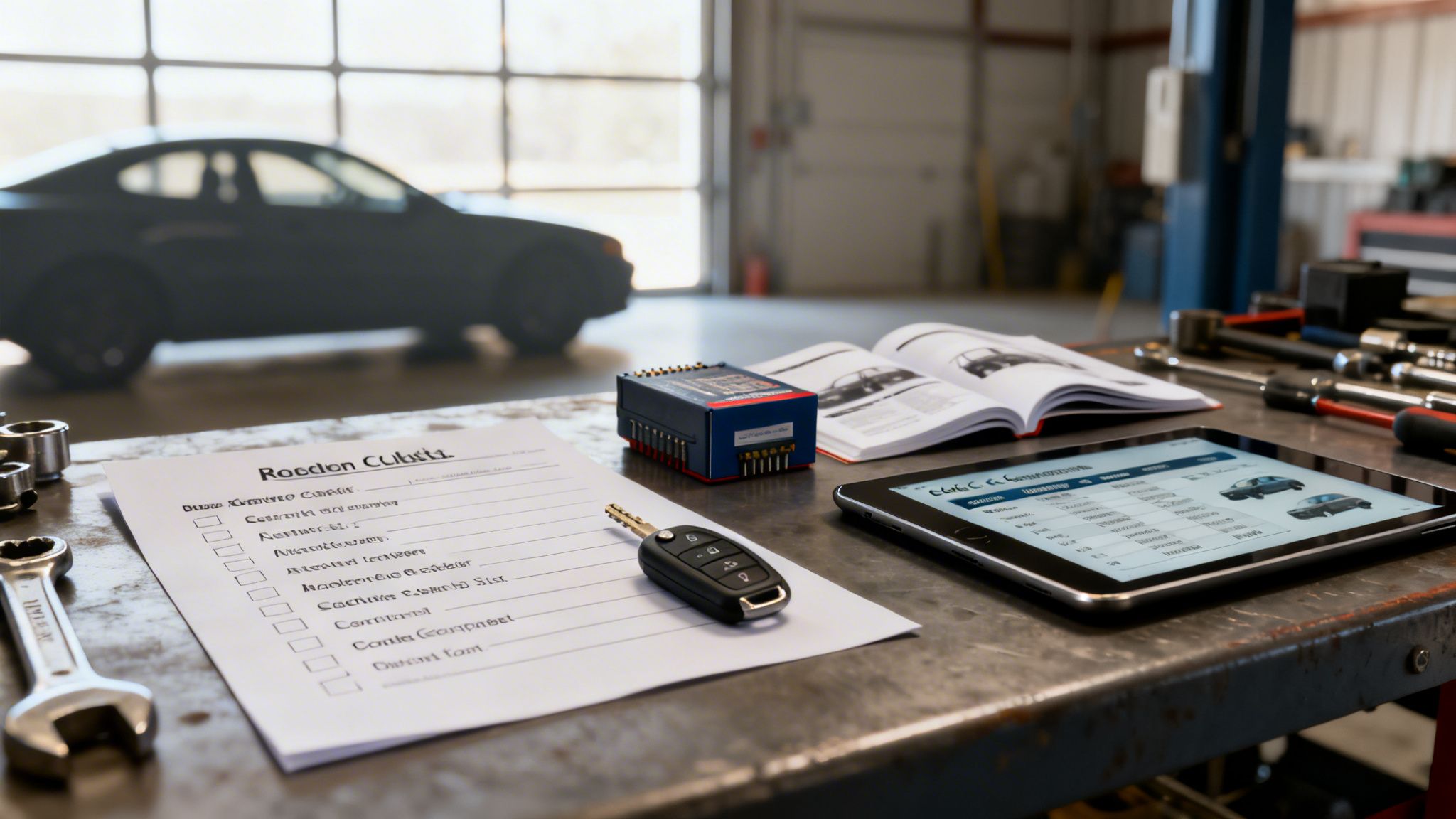
Think of this as your pre-flight check. A little bit of planning now saves a world of trouble later. Let's walk through the absolute must-dos before you buy a single part.
Confirming Vehicle Compatibility
First things first, not every car is a good candidate for a DIY remote starter install. Your vehicle's make, model, year, and even specific trim level will determine which systems will work—and how difficult the job will be.
Automatic vs. Manual Transmissions: Let's be clear: installing a remote starter on a manual transmission is a job for seasoned pros. It’s far more complex and has serious safety implications if not done perfectly. This guide, and most kits you’ll find, are designed for automatic transmissions. We'll be focusing exclusively on those to keep things safe and straightforward.
Push-to-Start Systems: If your car has a push-button start, be prepared for a bit more complexity. These systems are tied deeply into the car’s computer network (the CAN bus) and require very specific bypass modules and wiring techniques compared to a traditional keyed ignition. It's doable, but it's not a beginner-level task.
Demystifying The Bypass Module
So, what is this "bypass module" you keep hearing about?
Think of it as a digital key. Your car’s factory anti-theft system, or immobilizer, is designed to stop the engine from running unless it detects the properly coded chip in your key. The bypass module’s job is to trick the car into thinking the key is present, just for a moment, so the remote starter can fire up the engine.
If your vehicle was made any time after the late 1990s, a bypass module isn’t just a good idea—it’s 100% mandatory. Trying to install a remote starter without the right one will lead to the engine starting and then immediately dying. It's a classic rookie mistake.
You can't just grab any module off the shelf. It has to be the correct one for your car's exact year, make, and model, and it must be "flashed" with the right firmware. Good manufacturers have online tools to help you find the exact match.
Choosing the Right Remote Starter Kit
The kit you pick defines everything from how far away you can be to what features you get. It’s worth spending a moment thinking about how you’ll actually use it. A weak battery can also cause all sorts of strange issues with a new remote starter, so make sure your car’s electrical system is healthy. You can learn more about what goes into a car battery replacement cost in our detailed guide.
To help you choose, here's a simple breakdown of the main types of systems you’ll find on the market.
Remote Starter System Comparison
| System Type | Key Feature | Typical Range | Best For |
|---|---|---|---|
| 1-Way System | Sends a command to the car (e.g., lock, start) but provides no confirmation. | 500 to 1,500 feet | Budget-conscious users who only need basic functionality and are usually within sight of their vehicle. |
| 2-Way System | Sends a command and receives confirmation back to the remote via LED lights or an LCD screen. | 1,500 feet to 3 miles | Users who want peace of mind knowing the command was successful, especially from inside a building. |
| Smartphone App | Uses a cellular connection to provide unlimited range control and GPS tracking from your phone. | Virtually unlimited | Tech-savvy users who want maximum convenience, added security features like tracking, and don't want to carry an extra fob. |
Ultimately, the choice comes down to your needs and budget. A 2-Way system offers a great balance for most people, but the "unlimited" range of a smartphone app is hard to beat if it's in your budget.
Taking the time to nail down these details is the single most important step in your remote starter journey. It ensures you buy the right parts the first time and sets you up for a successful install you can be proud of.
Gearing Up: Your Tools and Parts Checklist
So, you’ve got your remote starter kit and bypass module in hand. Fantastic. Now comes the part that separates a clean, reliable install from a future headache: getting your tools and workspace ready.
Don't skip this. I've seen countless DIY jobs turn into a mess of loose panels and sketchy connections simply because the right gear wasn't on hand. Think of it as prepping your workshop before you start a project. A little organization now will make the actual wiring a whole lot less stressful.
The Must-Have Electrical Tools
For any job involving your car's wiring, a few tools are non-negotiable. Trying to substitute these is asking for trouble—and potentially expensive repairs.
- Digital Multimeter: This is your most important tool, period. You’ll use it to find and verify every single wire you need to tap into. Guessing which wire does what is the fastest way to damage one of your vehicle's computers. A multimeter takes the guesswork out of the equation.
- Good Wire Strippers: Seriously, don't use a pocket knife or your teeth. A decent pair of automatic wire strippers will remove the insulation without nicking the copper strands underneath. A clean strip is the foundation of a solid connection.
- Soldering Iron & Solder: If you want your connections to last as long as your car, soldering is the only way to go. It creates a permanent, electrically solid bond that won't vibrate loose. A 40- to 60-watt iron is the sweet spot for automotive wiring.
The principles of working carefully with your car's electronics apply to more than just remote starters. If you're tackling other projects, you'll find the techniques are quite similar. For instance, you can check out our guide on dash cam installations to see how these same tools and skills come into play.
The Great Debate: Soldering vs. T-Taps
How you connect the wires is a hot topic online, but from years of professional experience, there’s a clear winner for reliability.
T-Taps: These little plastic clips seem like a great shortcut. You just snap them onto a wire and you're done. The problem? They are notorious for failing over time. Car vibrations work them loose, leading to intermittent problems or a remote starter that just stops working one day. We see it all the time.
Soldering: A properly soldered joint, sealed with heat-shrink tubing, is the gold standard. It creates a permanent, corrosion-proof bond that you'll never have to worry about again. It takes a few extra minutes per connection, but the peace of mind is worth it.
The Finishing Touches: Consumables and Trim Tools
These are the small items that make the difference between an amateur hack-job and something that looks like it came from the factory.
- Heat-Shrink Tubing: Always slide a piece of this tubing onto your wire before you solder the connection. Once the joint is made, you slide it over the bare metal and heat it with a heat gun. It shrinks down to form a tough, insulated seal.
- Quality Electrical Tape: Don’t cheap out here. Get a good brand like 3M Super 33+. Its job isn't to insulate a connection (that's what heat-shrink is for), but to bundle your new wiring neatly into a harness.
- Zip Ties: You'll need plenty of these to secure your wiring looms safely away from moving parts like the steering column, brake pedal, and gas pedal. A tidy wiring job is a safe wiring job.
- Plastic Trim Removal Tools: Using a screwdriver to pry off your dash panels is a guaranteed way to scratch and gouge the plastic. A cheap set of plastic pry tools will let you pop panels off safely without leaving a mark.
Navigating Your Vehicle’s Wiring
Alright, with your tools laid out, it's time to get under the dash. For many people, this is where a DIY project starts to feel very real—and maybe a little intimidating. But don't sweat it. The goal here isn't to become a master electrician in an afternoon. It's about learning a solid, repeatable process for finding and connecting wires the right way.
We're going to walk through the process, not just throw a diagram at you. This way, you'll have the confidence to get it done properly. This is the stage where patience pays off. Rushing or guessing which wire to tap is the number one reason these installations fail. Most of our work will be focused around the steering column and ignition switch, the nerve centre for all the critical connections.
Your Multimeter Is Your Best Friend
Before you even think about cutting or tapping a wire, you have to verify its function. A wiring diagram for your specific vehicle is a great roadmap, but your multimeter is the ultimate source of truth. Trust me, I've seen cars where two wires have the same colour but do completely different things, especially on older models or vehicles that have had previous electrical work. Always trust, but verify.
Using your multimeter is straightforward once you get the hang of it. Set it to DC Voltage (V–).
First, find a solid ground. Clip the black probe of your multimeter to a clean, unpainted piece of metal under the dash—a chunky bolt head or a solid bracket is perfect. Give it a little tug to make sure you have a good connection.
Next, you'll use the red probe to gently test the wires in the ignition harness. You can either back-probe the connector (my preferred method) by sliding the probe in alongside the wire, or use a piercing probe if you have one. Just be careful not to cause any unnecessary damage to the wire's insulation.
This basic skill is the key to almost all automotive electrical work. It's the same principle we use for everything from troubleshooting electrical gremlins to installing more advanced tech, like the options you'll find for Android Head Unit Upgrades.
Hunting Down Essential Connections
Now for the hunt. Let's track down the wires your remote starter needs to see. You'll almost always find these in the main harness coming from your ignition key cylinder.
- Constant 12V+ Power: This one’s the easiest. With the key completely out of the ignition, start probing the wires. The one that shows a steady ~12V on your multimeter is your constant power. You might find more than one; if so, always pick the thickest gauge wire.
- Ignition Wire: Put the key in and turn it to "ON" (when the dash lights up, but before you start the engine). Find the wire that now reads ~12V but drops back to 0V the moment you turn the key off. That's your ignition wire.
- Accessory Wire: This wire is for things like your radio. It should show ~12V in both the "ACCESSORY" and "ON" key positions. The key difference is that it will drop to 0V while you're cranking the engine. This is by design, so your stereo doesn't draw power while the starter motor is doing its heavy lifting.
- Starter Wire: This one only gets power when you are actively turning the key to the "START" position. It will read 0V at all other times. Finding it can feel like you need an extra set of arms, so don't be shy about asking a friend for help.
Pro Tip: As you confirm each wire, label it with a small piece of masking tape. It sounds simple, but when you're looking at a bundle of similar-looking wires, it's incredibly easy to mix them up. This one little habit can save you from some very expensive mistakes.
The infographic below shows the simple but critical workflow for making your connections.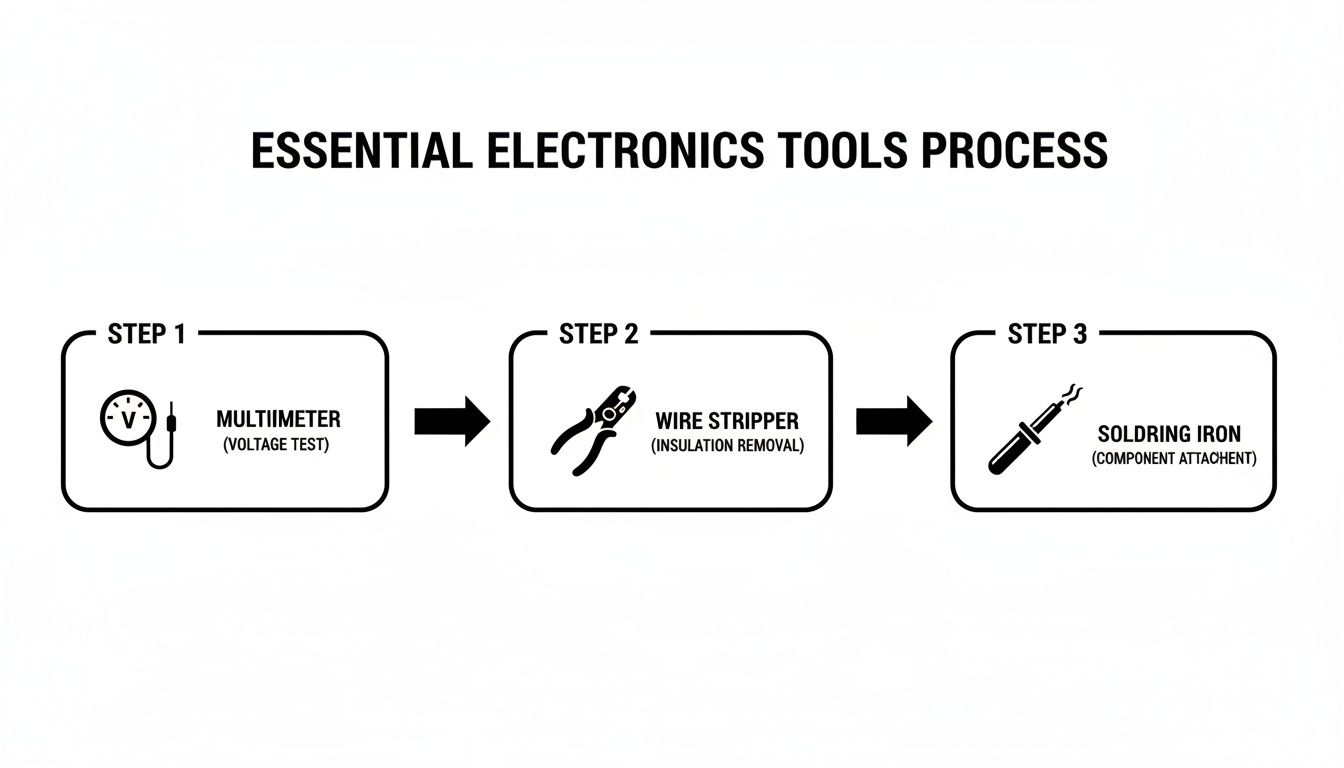
As you can see, verification with the multimeter always comes first, before you strip or solder anything.
Making Connections That Last
Once your wires are identified and labelled, it’s time to connect the remote starter’s harness. We're going to solder every connection because it’s the only way to guarantee they'll last. We use a technique called a "military splice," which is incredibly strong and reliable.
- Start by carefully stripping about a centimetre of insulation from the middle of the factory wire, making sure not to cut any of the copper strands.
- Use a pick or the tip of your probe to gently separate the strands of the factory wire, creating a small "eye" or opening.
- Strip about two centimetres from the end of your remote starter wire. Thread this stripped end through the eyelet you made and then wrap it tightly around the factory wire.
- Now, solder the joint. Apply heat to the wire and let the solder flow into the connection. You're looking for a smooth, shiny joint, which indicates a good flow.
- Let it cool down completely. Then, slide your heat-shrink tubing over the new joint and use a heat gun to shrink it down for a perfect, insulated seal.
This method creates a connection that won't ever wiggle loose—it’s far superior to any T-tap or crimp connector. Understanding how to make a solid connection is fundamental. If you're ever chasing strange electrical problems, it often comes down to a poor connection somewhere. If you get stuck, our team handles these kinds of jobs every day. You can learn more about our professional electrical repair services when a DIY job gets too complicated.
Locating Safety and Convenience Wires
Beyond just starting the car, a few other wires are essential for the system to work safely.
- Brake Switch: This is a non-negotiable safety feature. The remote starter must shut off the instant the brake pedal is touched. You'll find this wire at the switch located right at the top of the brake pedal arm. It's the wire that gets 12V only when the pedal is pressed down.
- Tachometer Signal: This is how the remote starter knows the engine has successfully started and is running. On most modern cars, you can find this signal at a fuel injector or an ignition coil. Your installation guide will have specific locations to check.
- Door and Trunk Pins: If your kit has these features, connecting to these wires will let the module know if a door is ajar. It can also enable handy functions like remote trunk release.
Mounting the Brains and Antenna
With all the wiring done, you just need to find a secure home for the control module (the "brain") and the antenna.
The control module needs to be tucked up high under the dash and securely fastened with zip ties. Keep it far away from any moving parts like the pedals or steering column. Whatever you do, don't just let it hang by the wires. A dangling module is the calling card of a shoddy install and can even be dangerous.
The antenna is your key to getting good range from your remote. Mount it high up on the front windshield, usually just behind the rearview mirror, and tuck the wire neatly along the headliner. Try to keep it away from any large metal surfaces, which can interfere with the signal. A few more zip ties to secure any slack in the wire will prevent annoying rattles while you're driving.
Programming and Testing Your New System
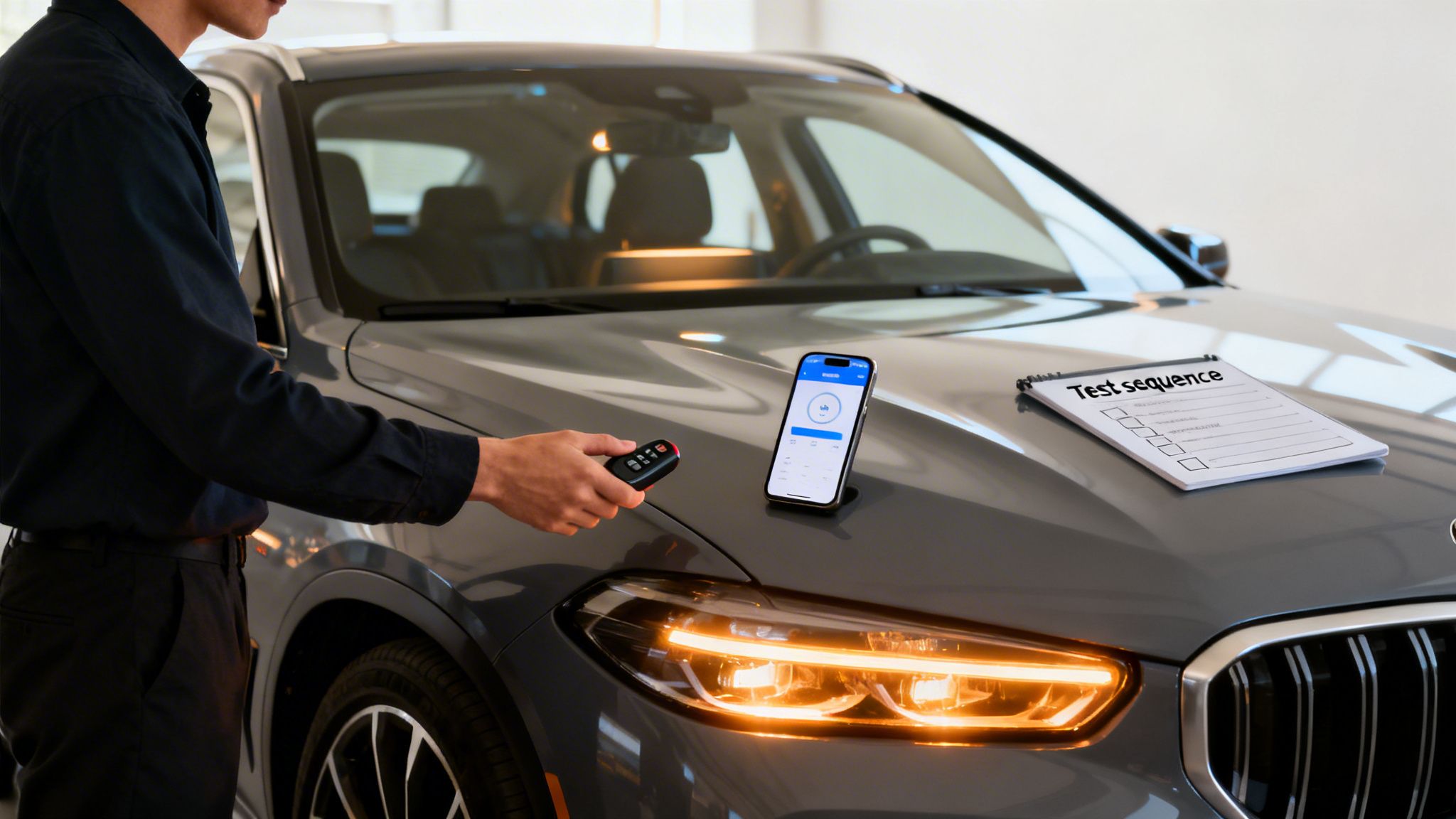
You've soldered the last wire and tucked everything away neatly. The hard part is done, right? Almost. Now it’s time for the brains of the operation: getting the new module to communicate with your car.
This final stage is all about programming and testing. It's a precise process that syncs the remote starter, the bypass module, and your vehicle's computer. Don't rush this part. Proper programming is what separates a reliable remote start from a massive headache.
Initiating the Key Learning Procedure
First up is programming the bypass module. This is what we call the "key learning" or "vehicle data learning" process. In a nutshell, you’re teaching the module how to mimic your car key's security signature so the anti-theft system doesn't kill the engine after a remote start.
The exact steps will vary wildly depending on the bypass module and your vehicle, so treat your installation manual as gospel here. The sequence usually involves a little dance of turning the key, pressing buttons on the module, and watching for specific LED flashes.
For instance, you might see instructions like: "Turn key to ON, press and hold the program button until the LED turns blue, then turn key OFF." Follow your manual to the letter—this is the critical handshake between the module and your vehicle.
Pairing Remotes and Customizing Features
With the bypass module talking to the car, you can now pair your new remotes to the main control unit. This part is usually much simpler. It often just takes cycling the ignition or tapping the brake pedal to put the system in "pairing mode," then pressing a button on each remote to sync it.
This is also the best time to dive into the settings and make the system your own.
Don't just settle for the default settings. A few minutes of customization is what makes the system feel truly integrated with your car. Your manual will have a full list of programmable features.
Here are a few of the most common settings people adjust:
- Engine Run Time: The default is often 15 minutes, but most systems let you change it to anything from 3 to 60 minutes.
- Parking Light Output: You can have the lights stay on solid or flash while the engine is running. Flashing makes it easier to spot your car in a crowded lot.
- Keyless Entry Control: Some older vehicles need a longer unlock pulse to work correctly, which you can often adjust here.
The Systematic Testing Sequence
Now, before you even think about putting those dash panels back on, it's time to run a full diagnostic. Test every single function, in order, to make sure it's all working perfectly.
Start with the basics: lock and unlock. With the key out and doors closed, press the lock and unlock buttons on your new fob. The doors should lock and unlock, and you should see the parking lights flash accordingly—usually once for lock, twice for unlock.
Next, and most importantly, confirm the safety shutdowns. Sit inside the car and close the doors. If you installed a hood pin, press it; the system should not even attempt to start. Now, remote start the vehicle. As soon as the engine is running, press the brake pedal. The engine must shut down immediately. This is your primary safety feature, and it has to work.
Finally, the main event: your first remote start. Step outside, close the doors, and press the start button. You’ll hear the relays click, see the dash light up, and then the engine should fire up and settle into a nice, smooth idle.
Let it run for a minute. Check for any warning lights on the dash or strange noises. If the engine starts but dies after a few seconds, that's a classic sign the bypass module programming didn't take. Just run the key learning procedure again.
Once everything checks out, you can start reassembling your dash with confidence. You did it.
Troubleshooting Common Installation Hiccups
Even the most meticulous DIYer can run into a problem. So, when your new remote starter doesn’t fire up on the first try, don't sweat it. The issue is almost always one of a few common culprits, and finding it is just a process of elimination. This is where you put on your detective hat and figure out what the car is trying to tell you.
Let's walk through the most frequent snags you might hit and how to sort them out without wanting to tear your hair out.
The Engine Starts and Dies Immediately
This is the classic one. If I had a dollar for every time I've seen this, I'd have a very nice tool collection. You hit the button, the engine roars to life for a couple of seconds, and then… silence.
I can tell you with near 100% certainty that this is a bypass module issue. Your vehicle’s factory anti-theft system is doing exactly what it's designed to do—it isn't getting the right digital handshake from the bypass, so it shuts the engine down.
Here’s what to do:
- Redo the Programming: That "key learning" procedure can be finicky. Even a slight timing mistake or a missed step will cause it to fail. Grab the manual for your specific bypass module and follow the programming sequence again, to the letter.
- Check Your Bypass Connections: Go back and double-check every connection between the bypass module and the vehicle's immobilizer wiring. A loose wire or a bad splice is just as bad as a failed programming attempt.
Nothing Happens at All
You press the button on the remote, and you get absolutely nothing. No clicks from under the dash, no lights, just dead air. This almost always points to a basic power problem with the remote starter's "brain" itself. It simply isn't getting the juice it needs.
Time to go back to basics with your multimeter.
- Check the Main Power: Probe your main constant power wire. You need to see a solid 12V+ at all times.
- Verify the Ground: Make sure your ground wire is fastened tightly to a clean, unpainted spot on the vehicle’s metal chassis. A bad ground is one of the most common sources of all kinds of electrical gremlins.
Think of a bad ground like a blocked-off exhaust pipe—nothing can get through. Take a moment to scrape away any paint or rust to get a clean, shiny metal-to-metal contact for your ground ring. It's a simple step that solves a shocking number of "dead unit" problems.
If your power and ground check out, the next step is to inspect the fuses on the remote starter's own wiring harness. It’s rare, but it's not impossible for one to have blown during the install.
Parking Lights or Locks Not Working
Okay, so the car starts perfectly, but the parking lights don't flash or the doors won't lock and unlock. This is good news, actually. It means the core installation is fine, and the problem is isolated to those specific output wires.
This is very often a simple polarity issue. Some cars use a positive (+) signal to trigger their lights and locks, while others use a negative (-) signal. Your remote starter's manual will show you how to switch the output's polarity, which usually involves moving a small jumper on the unit or changing a setting in the programming menu. If you get stuck trying to sort out these more specific circuits, getting some professional help for your car's auto electrical repair in Whitby can solve the puzzle in no time.
Poor Remote Range
Finally, what if the system works perfectly, but only when you're standing right next to the car? This is an antenna problem, plain and simple.
First, check its placement. The antenna needs to be mounted high up on the windshield, clear of any metal window tint or the thick metal A-pillars on the sides of the windscreen. Also, make sure the antenna cable isn't pinched, coiled up like a rope, or running right alongside a thick bundle of factory wires, which can create a ton of signal interference. A simple repositioning of the antenna is often all it takes to get that long-range performance you were looking for.
Knowing When To Call In a Professional
Look, I get the appeal of a good DIY project. There’s a real sense of accomplishment when you tackle a job yourself and it all works perfectly. But with something as intricate as a remote starter, there’s a fine line between a satisfying weekend and a long, frustrating headache.
Knowing your limits is the most important skill here. Modern vehicle electronics are incredibly complex, which is a big reason the global remote starter market ballooned to USD 1.9 billion in 2023. You can discover further insights into the remote starter market to see just how advanced these systems have become.
Sometimes, the smartest move is letting a professional handle it.
High-Risk Scenarios for DIY Installation
If your car fits any of these descriptions, I’d strongly recommend thinking twice before opening up your dashboard. The risk of causing expensive electronic damage is just too high.
Modern European Vehicles: We're talking about BMW, Mercedes-Benz, Audi, and VW. Their electronic systems are notoriously intertwined. One wrong connection can light up your dashboard like a Christmas tree with error codes that only a dealer can clear. It’s a costly mistake.
Push-to-Start Systems: While it's possible for a seasoned DIYer, these systems are a whole other level of difficult. They’re tied directly into your vehicle’s main computer and anti-theft immobilizer. Programming the bypass module has to be perfect, as there’s zero room for error.
Complex CAN-Bus Networks: Most cars built since the mid-2000s use a CAN-bus network to let different modules talk to each other. On luxury or feature-heavy vehicles, this network is incredibly busy. Tapping the wrong data wire can disrupt everything from your transmission to your radio.
The Value of Professional Peace of Mind
Deciding on a professional installation isn't giving up; it’s making a smart investment. An experienced technician has seen it all and knows the specific quirks of your car’s model—knowledge you just can't get from a paper manual.
The real value isn't just in the labour; it's in the guarantee. A professional installation is clean, reliable, and backed by a warranty. At a shop like Carmedics Autowerks, that often means a lifetime workmanship warranty, giving you complete peace of mind.
This means if something goes wrong with the install down the road, you're not the one spending hours under the dash trying to figure it out. A pro ensures every wire is perfectly soldered and tucked away safely, protecting both the remote starter and your vehicle's existing systems.
When you factor in the potential for a botched job, the professional cost to install a remote starter often proves to be the more economical choice in the long run. Ask yourself: what’s your time and your vehicle’s integrity worth? For many people, especially with a newer car, the answer is pretty clear.
When you want the job done right the first time, trust the experts at Carmedics Autowerks. Our experienced technicians in Whitby provide professional, reliable remote starter installations that ensure your vehicle is ready when you are. Get in touch with us today!